

The Grumpy Sysadmin Shop
Secure Your Digital Life in 7 Days
Secure Your Digital Life in 7 Days
5.0 / 5.0
Couldn't load pickup availability
✓ 30-day money-back guarantee — no questions asked
“I do this stuff professionally and I didn’t find anything wrong or outdated… All correct, all current, nothing snake-oil about it.”
★★★★★ Jeff Garand · works in IT infrastructure · verified buyer
A Windows-first security system for everyday computer users and households.
Secure your Windows PC, important accounts, home Wi-Fi, smartphone, files, and recovery plan through seven practical security missions. Start with the Quick-Start Checklists for the most important fixes, then use the detailed Playbooks and Guides whenever you need step-by-step help.
No security background required. No software subscription required.
21 PDF resources. 239 pages. Instant digital download. One-time purchase.
WHAT YOU WILL SECURE
-
Windows and Browser Security
Strengthen Windows Security, Microsoft Defender, firewall settings, encryption, administrator access, browser privacy, extensions, downloads, and other common weak points. -
Your Most Important Accounts
Protect your email, password manager, MFA, recovery methods, banking, cloud services, phone carrier account, and other critical accounts. -
Your Home Wi-Fi and Router
Secure router administration, Wi-Fi encryption, firmware, guest access, connected devices, WPS, remote management, and other home-network risks. -
Your Smartphone
Review important iPhone and Android security settings, app permissions, backups, MFA access, device tracking, carrier protections, and recovery options. -
Scams, Phishing, Identity Theft, and Fraud
Learn how to spot manipulation, avoid dangerous requests, protect financial accounts, prepare for identity theft, and respond when something looks wrong. -
Backups and Ransomware Recovery
Build a practical backup strategy, protect important files, verify your backups, and make sure you can restore your data. -
Your Security Emergency Plan
Know what to do if an account is compromised, your phone disappears, fraud appears, ransomware hits, or you think you have been hacked.
WHAT IS INCLUDED
• Secure Your Digital Life in 7 Days: Start Here Roadmap
• Windows Security Hardening Playbook and Quick-Start Checklist
• Browser and Online Privacy Lockdown Guide and Checklist
• Account Lockdown Playbook and Quick-Start Checklist
• Home Wi-Fi and Router Lockdown Guide and Checklist
• Smartphone Security Playbook and Quick-Start Checklist
• Scam and Phishing Defense Guide and Checklist
• Identity Theft and Fraud Defense Guide and Checklist
• Backup and Ransomware Recovery Playbook and Checklist
• Security Emergency Response Playbook and Checklist
• Security Checkup and Maintenance Routine
• Printable Emergency Security Card
BUILT FOR NORMAL PEOPLE
This system is written for everyday computer users who want stronger security without unnecessary complexity, scare tactics, or endless technical jargon. You will learn what to change, why it matters, and how to confirm the protection is working.
The seven days are seven focused missions, not a deadline. Complete one each day, tackle one over a weekend, or spread them across several weeks. If you are short on time, use the Quick-Start Checklists now and return to the full Playbooks later.
WINDOWS-FIRST, BUT NOT WINDOWS-ONLY
The device-specific instructions use Windows terminology and settings. However, the guidance covering accounts, MFA, scams, identity theft, backups, smartphones, home networks, and emergency response is useful across platforms.
WHO THIS IS FOR
This system is for you if you:
• Use a Windows computer at home or for work
• Want practical guidance without becoming a security professional
• Have important accounts, photos, files, or financial information to protect
• Help protect a household or family member
• Want a recovery plan before something goes wrong
The goal is not perfect security. It is to make your digital life harder to compromise, easier to monitor, and much easier to recover.
This is not an enterprise security program, managed IT service, guarantee against every attack, or substitute for professional assistance during an active incident.
Start with Day 1. The internet has had long enough to leave your important settings scattered everywhere.
Digital product. Instant download. PDF files included.
What You’ll Receive
What You’ll Receive
21 PDF resources covering Windows security, browser privacy, account protection, home Wi-Fi, smartphone security, scams and identity theft, backups and ransomware recovery, emergency response, maintenance, and a printable emergency card.
You get the Start Here roadmap, matching Quick-Start Checklists, and detailed Playbooks or Guides for every mission.
Frequently Asked Questions
Frequently Asked Questions
Is this only for Windows users?
It is Windows-first, especially for the computer and browser security missions. The account, MFA, scam, identity theft, backup, smartphone, home-network, and emergency-planning guidance is useful on other platforms too, although the exact menus and steps may differ.
Do I have to complete everything in seven days?
No. The seven days are seven focused missions. Complete them at your own pace.
Do I need technical experience?
No. The material is written in plain English for everyday users. The Quick-Start Checklists help you begin, and the detailed guides explain the settings when you need them.
Does this guarantee that I cannot be hacked?
No security guide can honestly make that promise. This system helps reduce common risks, protect your recovery options, and give you a plan for responding when something goes wrong.
What will I receive after purchase?
You will receive the complete digital PDF bundle described on this page. Nothing physical will be shipped.
Still deciding?
Browse our free Windows checklists library first — no purchase required.
Browse Free ChecklistsWant the checklists in your inbox instead?
Get our free Windows & security checklists by email — no purchase required.
Share


YOUR ACCOUNTS ARE COVERED. WHAT ABOUT YOUR PC?
The Ultimate Windows Survival System
Buying both? Save $19.99 with the Complete Digital Survival System bundle instead.
View full details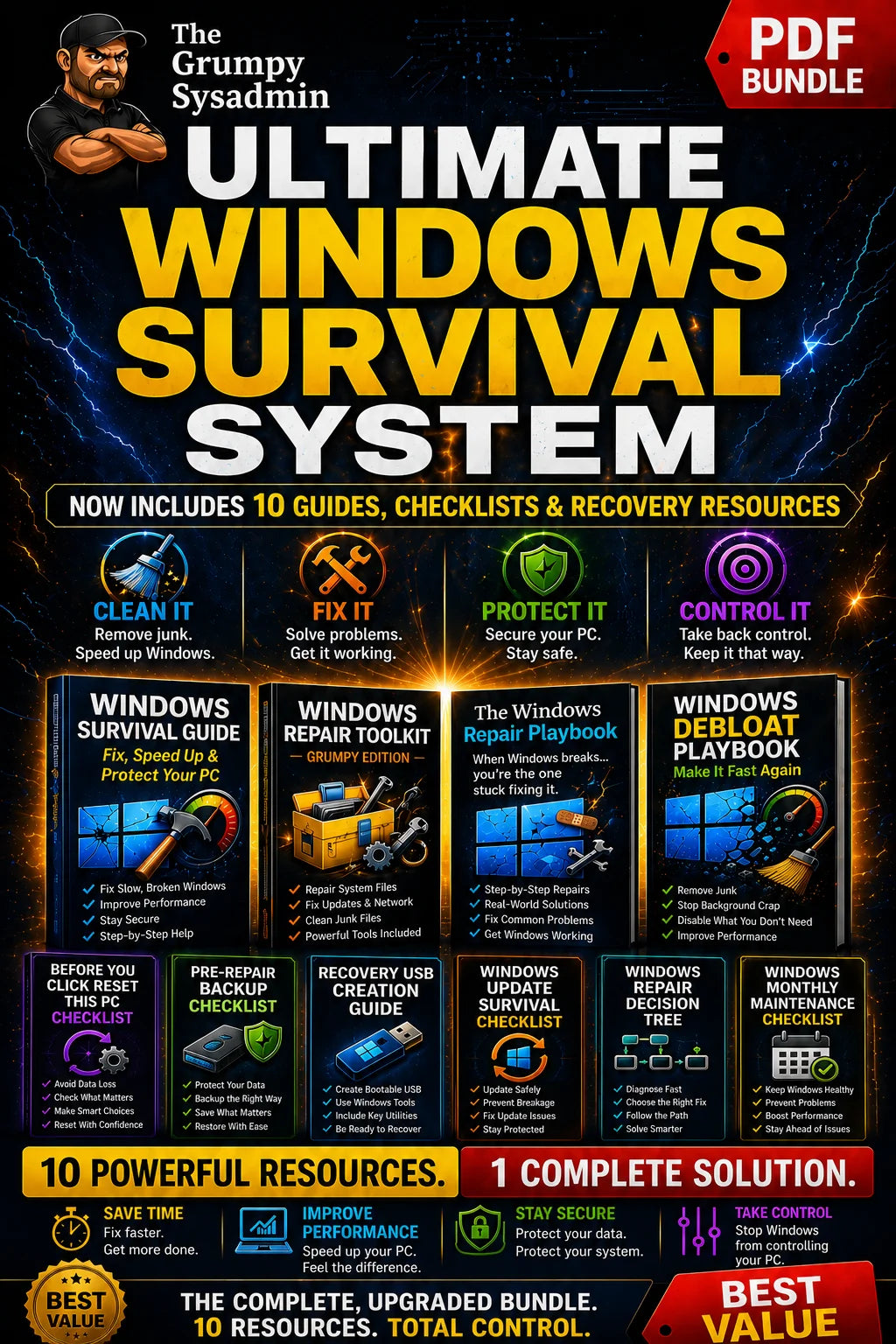
- 5 stars: 4 (100%)
- 4 stars: 0 (0%)
- 3 stars: 0 (0%)
- 2 stars: 0 (0%)
- 1 star: 0 (0%)
Thank you so much for creating Secure Your Digital Life in 7 Days! The guide is wonderfully organized, incredibly thorough, and makes a complex topic feel totally manageable. It’s an essential resource to keep on hand, and I highly recommend it to anyone looking to safeguard their digital presence.
So glad I found this! My husband’s PC got malware and he ended up paying $100 and lots of time to get it fixed. Wish I had found this sooner because this would have saved us so much headache and money. Thorough guide and perfect for the non-techie who wants higher security on their tech homefront. I feel an extra level of peace of mind re: our digital security that is well worth the money. Highly recommend!
working well sent you an reply in one of your emails explaining some of the things i accomplished still will be doing more as time permits really a great help thanks John
# The Grumpy Sysadmin — Complete Digital Security System (a review)
So "The Grumpy Sysadmin" is a full 7-day plan to lock down your digital life — Windows, browser, accounts, home Wi-Fi, phone, scams, backups, emergency plan, the whole package, checklists and playbooks and worksheets included. Since I work in IT infrastructure for a living, I figured I was maybe not the target audience, but I read the whole pile anyway. Here's what I think, honestly.
**First reaction: this is a LOT of PDF.** Five documents just for what I looked at, and that's not even the full library, there's apparently seven more behind it. My first instinct was "nobody normal is reading all of this," but that's actually addressed head-on in the roadmap — do one mission a day, use the checklist first, go deeper only if you have time. Fair enough. Still, I'd bet 90% of people open Day 1, get to the router section three days later, and never touch the worksheets. That's not really a flaw in the content, more just how humans work.
**The tone is the best part.** The "Grumpy Rule" callouts are genuinely funny — "Incognito mode isn't witness protection," "a router password that's still admin/admin is negotiating with plastic," stuff like that. It's the kind of writing that makes a boring topic bearable, and honestly, security content usually reads like a terms-of-service agreement, so this is a real win. Whoever wrote this has a good voice for it, it doesn't feel like corporate IT-department boilerplate, it feels like an actual person who's tired of fixing the same mistakes over and over.
**Is the advice good?** Yeah, actually. I do this stuff professionally and I didn't find anything wrong or outdated — WPA3/WPA2-AES over WEP, passkeys over SMS where you can, unique passwords in a real password manager, don't expose RDP to the internet, test your backup by actually restoring something instead of just trusting the green checkmark. All correct, all current, nothing snake-oil about it. The "lockdown order" logic (email first, then password manager, then everything downstream) is exactly the order I'd walk a family member through, so no notes there.
**Where I'd push back a bit.** There's a fair amount of repetition across documents — the phone carrier PIN thing shows up in the Account Lockdown playbook AND the Smartphone playbook, almost word for word. I get why, each document is supposed to stand alone, but if you read more than one in a sitting it starts to feel like déjà vu. Also some of the checklists have like 8-10 checkboxes per section and by Day 3 I could see people just checking boxes to feel done rather than actually verifying anything — which, to be fair, the guide itself warns against, so at least it's self-aware about that risk.
**Who is this actually for?** Not me, and probably not you if you're reading this on a sysadmin's blog. But my mother? My father-in-law? The tech-illiterate coworker who still has "Password1!" on four accounts? Yes, 100%. This is exactly the kind of thing I'd hand to someone instead of spending my Sunday afternoon doing it for them again.
**Bottom line:** it's thorough, it's accurate, it's actually kind of fun to read for a security guide, and the order-of-operations approach means people won't lock themselves out trying to follow it, which is more than I can say for half the "security checklists" floating around the internet. My only real complaint is volume — it could probably lose 20% of its word count without losing anything useful. But that's a nitpick, not a dealbreaker.
Good work overall. It's something people will actually use instead of just another PDF that dies in a Downloads folder.