

The Grumpy Sysadmin Shop
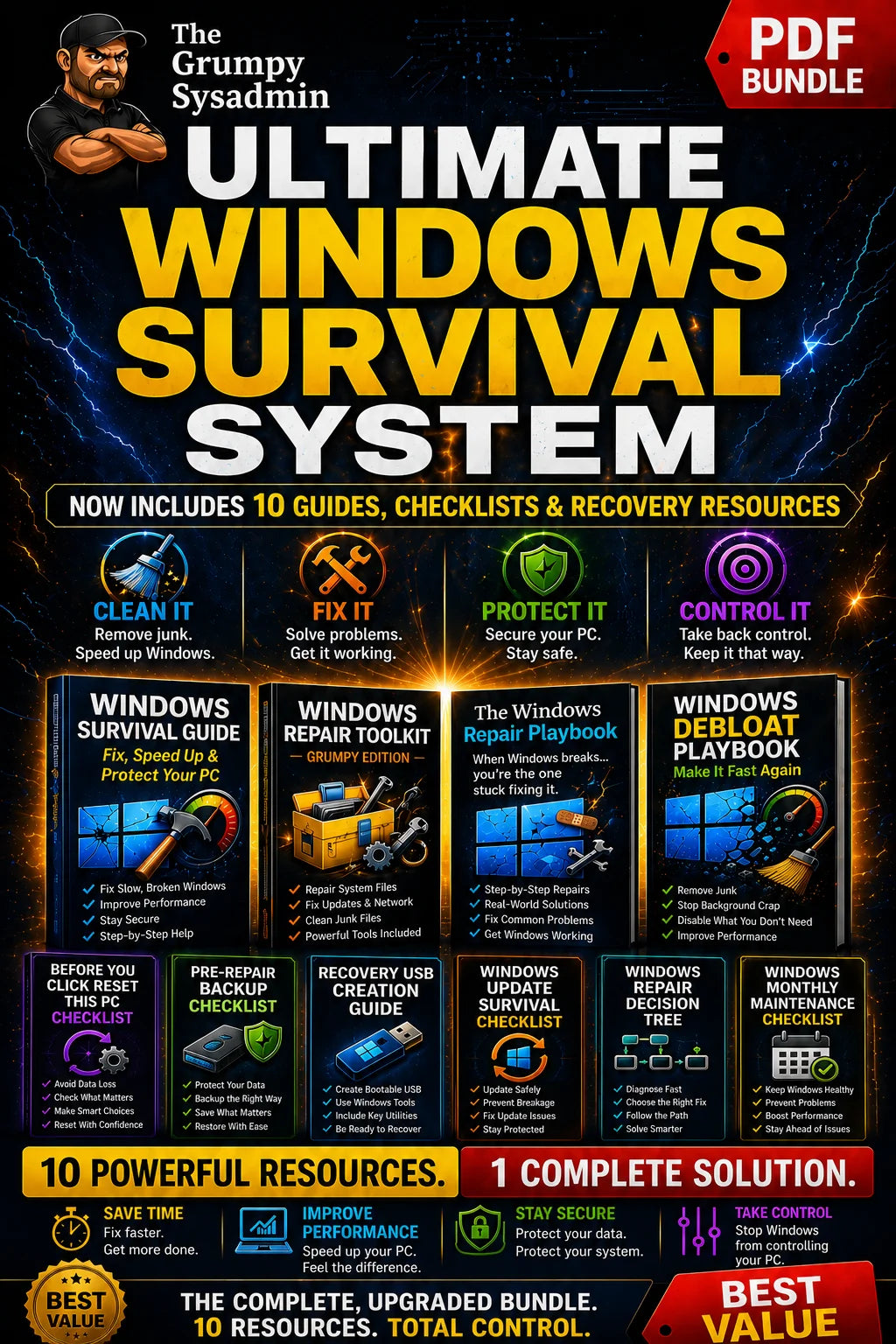
The Ultimate Windows Survival System
The Ultimate Windows Survival System
4.75 / 5.0
Couldn't load pickup availability
✓ 30-day money-back guarantee — no questions asked
When Windows breaks, slows down, refuses to update, or starts acting possessed, guessing can make the problem much worse.
The Ultimate Windows Survival System gives you a clear, plain-English plan to clean up, protect, repair, and recover your Windows PC—without random fixes, panic-clicking Reset This PC, or wondering what important files you forgot to save.
With this complete 10-resource system, you’ll be able to:
✓ Know what to back up before repairing or resetting Windows
✓ Fix common Windows problems in the right order
✓ Clean up unnecessary junk and improve performance
✓ Prepare recovery tools before disaster strikes
✓ Protect your files, accounts, and computer
✓ Maintain your PC so fewer problems happen in the first place
Instant digital download. Nothing is shipped.
Everything You Need to Prepare, Repair, Recover, and Protect Windows
Purchased separately, these resources would cost far more than the bundle price. Here, you get the complete system for $49.99.
What’s Included in the Complete System
🛡️ Windows Survival Guide
Clean up, speed up, and protect your Windows PC with clear, step-by-step instructions written for regular users—not IT departments.
🔧 Windows Repair Playbook
Follow a clear repair order so you know what to check first, what to fix next, and when to stop before making the problem worse.
⚡ Windows Repair Toolkit
Use practical Windows repair tools for system files, updates, networking, cleanup, and other common problems—without hunting all over the internet for what to try next.
🧹 Windows Debloat Playbook
Remove unnecessary junk, reduce background activity, improve startup, and stop Windows from wasting resources on things you do not need.
🔁 Before You Click Reset This PC Checklist
Check the things Windows does not warn you about before resetting your PC, including important files, saved passwords, BitLocker recovery keys, and anything else you do not want to discover was missing afterward.
💾 Windows Pre-Repair Backup Checklist
Back up the files and information people commonly forget before repairing Windows, including documents, photos, browser data, email, product keys, and important settings.
🧰 Recovery USB Creation Guide
Build a bootable recovery drive before Windows refuses to start, so you have the tools ready to troubleshoot, repair, or recover the PC when you need them most.
🔄 Windows Update Survival Checklist
Prepare before Windows Update runs, spot problems early, and recover faster when an update fails, gets stuck, or breaks something that was working five minutes ago.
🌳 Windows Repair Decision Tree
Follow a clear, symptom-based path to decide whether you should repair, restore, reset, recover, or back up first—before you make the wrong problem worse.
🗓️ Windows Monthly Maintenance Checklist
Keep your PC cleaner, safer, and more reliable with a simple monthly routine for updates, security, junk cleanup, startup apps, and basic system checks.
Who This Is For
This system is built for you if:
✓ Your Windows PC is slow, cluttered, unstable, or becoming harder to use
✓ Windows has failed, frozen, refused to update, or forced you into a repair before
✓ You are tired of trying random fixes and hoping one of them works
✓ You want one clear system instead of scattered videos, conflicting advice, and fifty browser tabs
✓ You want to protect your files, passwords, recovery keys, and settings before making changes to Windows
✓ You want to prepare for Windows updates before they fail, get stuck, or break something that was working perfectly fine before Microsoft “helped”
✓ You want practical, plain-English help from a sysadmin with 35+ years of real-world Windows experience
What You’ll Have When You’re Done
By the time you work through the system, you’ll have a Windows PC that is easier to maintain, safer to repair, and far less likely to catch you unprepared.
✓ Faster to start, easier to use, and less bogged down by unnecessary background activity
✓ Cleaner and less cluttered with unnecessary files and background junk
✓ Better protected against data loss, failed updates, accidental resets, and preventable Windows disasters
✓ Easier to troubleshoot because you’ll know what to check first and what to try next
✓ Easier to recover because your backups, recovery tools, and instructions will already be ready
✓ Better maintained with a simple routine that helps prevent small problems from becoming expensive ones
And when something does go wrong, you will not be starting from panic, guesswork, or a pile of random browser tabs.
Your Complete Windows Survival Library
You’ll get instant access to all 10 guides, checklists, and recovery resources in one downloadable collection. Use them to clean up Windows, fix common problems, prepare before resets, create recovery media, survive update issues, and maintain your PC without guessing.
Because when Windows breaks, you’re the one stuck fixing it.
What You’ll Receive
What You’ll Receive
10 PDF guides and checklists plus a repair toolkit — 237 pages covering cleanup, repair, backup, recovery, updates, and monthly maintenance.
You get the Start Here guide, the Windows Survival Guide, the Windows Repair Playbook, the Windows Debloat Playbook, and the Windows Repair Decision Tree, plus the Pre-Repair Backup Checklist, the Before You Click Reset This PC Checklist, the Recovery USB Toolkit Guide, the Windows Update Survival Checklist, and the Monthly Maintenance Checklist. The Windows Repair Toolkit includes a CMD launcher and a PowerShell script that run the common repair commands for you.
Start with the roadmap, use the decision tree to find the right fix, and keep the maintenance checklist for afterward. Nothing physical ships — you download everything after purchase.
Frequently Asked Questions
Frequently Asked Questions
Do I need technical experience?
No. Everything is written in plain English with exact click paths and step-by-step instructions. If you can follow a recipe, you can follow these.
Will it fix my exact problem?
It covers the common causes of a slow, unstable, crashing, or unbootable Windows PC — repair, cleanup, reset, and recovery. The Windows Repair Decision Tree points you to the right guide for your symptoms. It will not diagnose a failing drive or bad memory for you, but it shows you how to rule those out before you spend time on software fixes.
Which versions of Windows does it cover?
Windows 10 and Windows 11.
Is the Repair Toolkit safe to run?
Yes. It runs the standard built-in Windows repair commands — the same ones a technician would use. The guides explain what each one does and tell you when to back up first.
Do I have to do all of it at once?
No. Use the part that matches your problem today and keep the rest for when you need it. The Monthly Maintenance Checklist is there for ongoing upkeep.
What will I receive after purchase?
You will receive the complete digital PDF bundle and toolkit described on this page. Nothing physical will be shipped.
Still deciding?
Browse our free Windows checklists library first — no purchase required.
Browse Free ChecklistsWant the checklists in your inbox instead?
Get our free Windows & security checklists by email — no purchase required.
Share

YOUR PC IS COVERED. WHAT ABOUT EVERYTHING ELSE?
Secure Your Digital Life in 7 Days
Buying both? Save $19.99 with the Complete Digital Survival System bundle instead.
View full details
- 5 stars: 7 (88%)
- 4 stars: 0 (0%)
- 3 stars: 1 (13%)
- 2 stars: 0 (0%)
- 1 star: 0 (0%)
Lotta great stuff appreciate all your work
Good Info.
actually I haven't finished due to caregiving for elderly mother will get back to it ASAP
I didn't have a problem that needed to be solved but really enjoyed the package - lots of good information. I got it as more of a preventative measure (it's nce to be prepared)
It serves as a good backup resource.
Fantastic reference for refreshing my mind in direction of Windows troubleshooting. I printed all material and placed in bound book form.
I have found the Grumpy Sysadmin's advice invaluable. Windows contantly throws curve balls at users, and he catches them and throws them back.
Anthony,
'Windows throws curve balls and he throws them back'
might be the best description of this job I've heard.
Thank you for that, that's exactly what the System is built for: so the next curve ball is a lot less of a surprise.
Kevin
The Grumpy Sysadmin
Very clear and detailed explanation of problems on computers with Windows installed.
Basic knowledge of computer operation is required to solve the most common problems.
The manual is also very useful for more advanced users because it summarizes the necessary knowledge for installing, maintaining and recovering a computer.
An extremely useful manual, in my opinion, a mandatory part of the documentation for Windows users.
Thanks, Obren.
You pinned the thing I care most about, it should work whether you're just trying to get your PC running again or you already know your way around and want the fast path.
'Mandatory documentation for Windows users' is high praise; I'll keep trying to earn it.
Stay grumpy.